


家里安装的东西太多了,如:Nextcloud、OpenList、飞牛Nas等等,开了一个Ubuntu网关使用Nginx转发所有服务,但域名太多也难记,之前只加到浏览器收藏里,后面发现了 HomePage 导航页,感觉还不错。
一、介绍
HomePage 是一个现代、完全静态、快速、安全、完全代理、高度可定制的应用程序仪表板,集成了 100 多种服务并可翻译成多种语言。可通过 YAML 文件或通过 docker 标签发现轻松配置,运行时占用内存也不高。
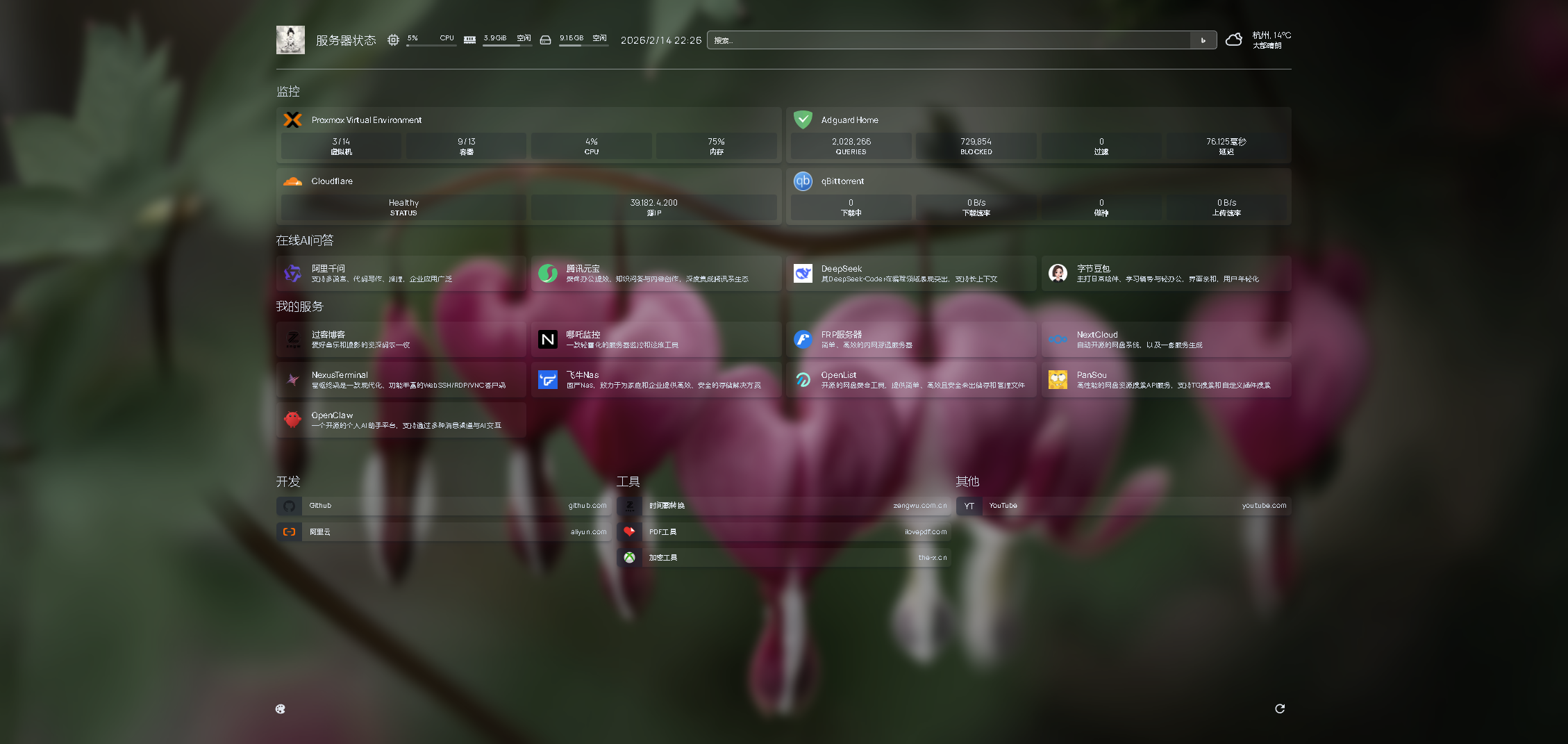
先来看看我的效果图
二、安装
直接使用 docker-compose 安装
services:
  homepage:
    container_name: homepage
    image: ghcr.io/gethomepage/homepage:latest
    restart: always
    ports:
      - "3000:3000"
    volumes:
      - /home/homepage/config:/app/config
	  - /home/homepage/icons:/app/public/icons
      - /var/run/docker.sock:/var/run/docker.sock:ro
    environment:
      - PUID=1000
      - PGID=1000
      - HOMEPAGE_ALLOWED_HOSTS=*
      - TZ=Asia/Shanghai
参数说明:
- container_name:容器名
- image:镜像信息
- restart:重启方式
- ports:端口映射
- volumes:挂载
- /home/homepage/config:配置文件目录映射,需要先在主机要创建目录
/home/homepage/config - /home/homepage/icons:图标文件存放位置映射,这二目录根据自己需求修改,但要先在主机创建
- /var/run/docker.sock:docker容器监控进程,用于配置容器监控
- /home/homepage/config:配置文件目录映射,需要先在主机要创建目录
- environment:参数
- PUID: 登录服务器后台通过
id <用户名>获取 - PGID: 登录服务器后台通过
id <用户名>获取 - HOMEPAGE_ALLOWED_HOSTS:允许访问的主机,
*标识任何主机可以 - TZ:时区映射,上海(北京时间)
- PUID: 登录服务器后台通过
安装好后,/home/homepage目录结构如下:
/home/homepage
├── config                # 配置目录
│   ├── logs              # 日志目录
│   │   └── homepage.log  # 日志
│   ├── bookmarks.yaml    # 书签配置
│   ├── custom.css        # 自定义CSS样式
│   ├── custom.js         # 自定义JS
│   ├── docker.yaml       # 容器监听页面,链接的本地 `docker.sock` 地址根据实际地址进行配置
│   ├── kubernetes.yaml   # 集群配置信息
│   ├── proxmox.yaml      # proxmox 配置
│   ├── services.yaml     # 服务配置
│   ├── settings.yaml     # 设置
│   └── widgets.yaml      # 小组件
└── icons                 # 本地自定义图标存放目录
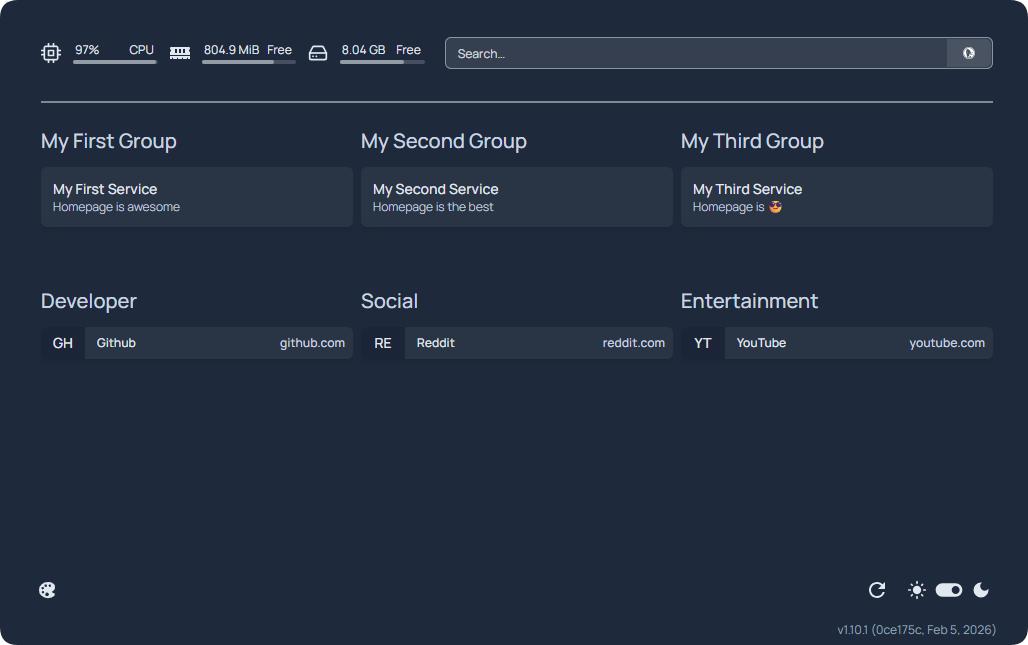
安装好后,默认页面是:
三、配置
这里主要介绍:
- settings.yaml:设置配置
- widgets.yaml:小组件配置
- services.yaml:服务配置
- bookmarks.yaml :书签配置
1. settings.yaml 设置配置
官方文档:https://gethomepage.dev/configs/settings/
我的配置:
---
# For configuration options and examples, please see:
# https://gethomepage.dev/configs/settings/

title: Zngw Homepage      # 标题,你网页的名字
language: zh-CN           # 语言

background:               # 背景
  image: https://bing.img.run/1920x1080.php # 使用 必应每日壁纸 当背景,也可以是本地图片
  blur: ""       # 模糊,""是没有,可选:sm , md, xl...
  saturate: 50   # 饱和度,可选:0, 50, 100...
  brightness: 75 # 亮度,可选: 0, 50, 75...
  opacity: 100   # 不透明度,0-100

# favicon.ico 将图片上传到 /home/homepage/icons 目录下
favicon: /icons/favicon.ico

theme: dark # 主题,or light

hideVersion: true #是否隐藏版本号

layout:
  监控:
    style: row
    columns: 2
  在线AI问答:
    style: row
    columns: 4
  我的服务:
    style: row
    columns: 4
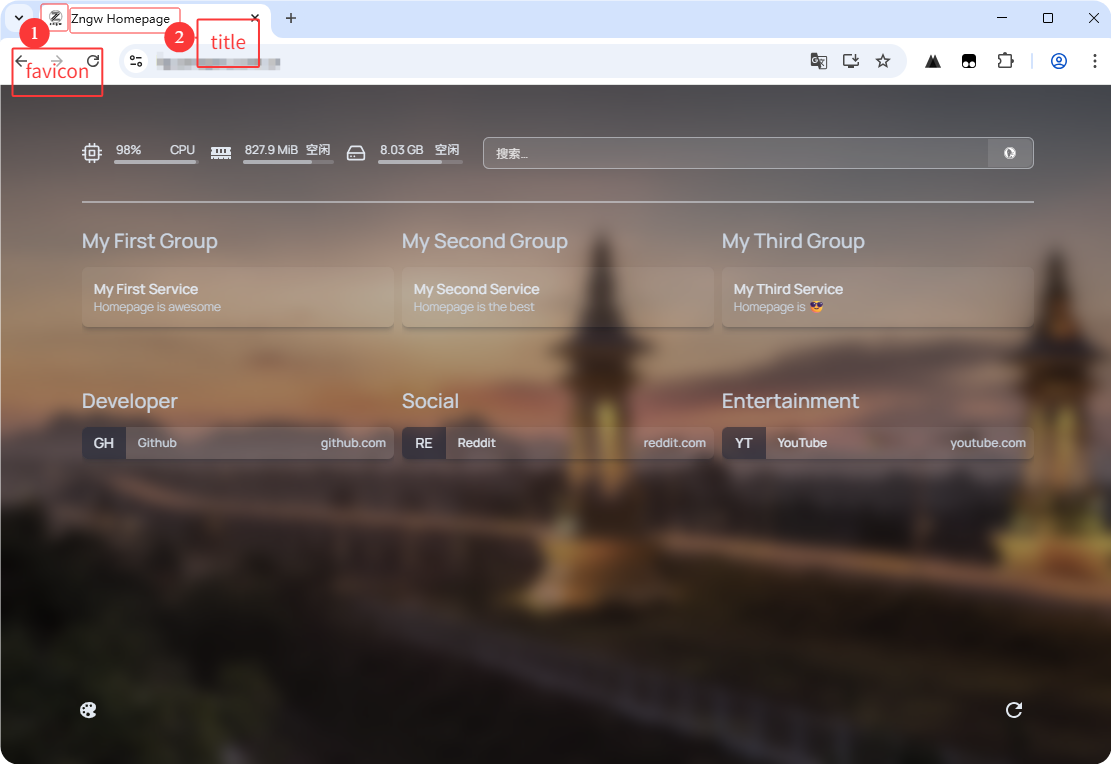
效果:
2. widgets.yaml 小组件配置
官方文档:https://gethomepage.dev/configs/info-widgets/
- logo:                          # Logo图标
    icon: /icons/logo.png        # 也可以是https://xxx/log.png 这类网络图片
    href: https://zengwu.com.cn  # 点图标跳转页面
    target: _blank

- greeting:
    text: 服务器状态

- resources:                     # 资源监控
    cpu: true
    memory: true
    #expanded: true
    refresh: 3000 # optional, in ms
    disk:
        - /
		# - /disk2  如果有多个硬盘监控,先在volumes中添加映射

- datetime:                      # 时间日期显示
    text_size: x1                # 文字大小
    format:                      # 格式
      dateStyle: short           # 日期,精简,long为详细
      timeStyle: short           # 时间,精简,long为详细
      hour12: false              # 是否为12小时格式

- search:                        # 搜索框
    provider: [bing, google, duckduckgo, baidu, brave] # 多选
    target: _blank
    focus: true
    showSearchSuggestions: true  # 显示时时提示

- openmeteo:                     # 天气
    label: 杭州                  # 地区
    latitude: 30.18              # 维度
    longitude: 120.12            # 经度
    timezone: Asia/Shanghai      # 时区
    units: metric                # 单位
    cache: 5                     # 缓存 API 响应所需时间(以分钟为单位),以保持在限制范围内
效果
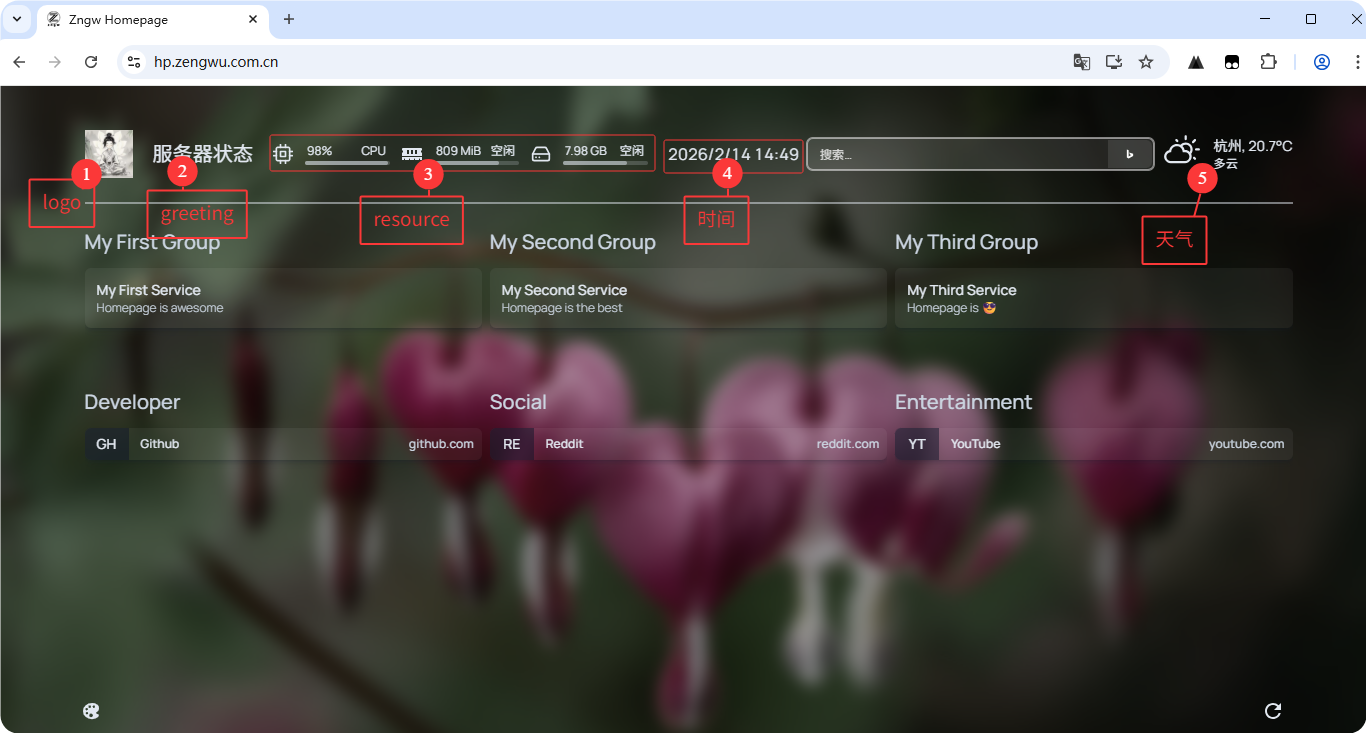
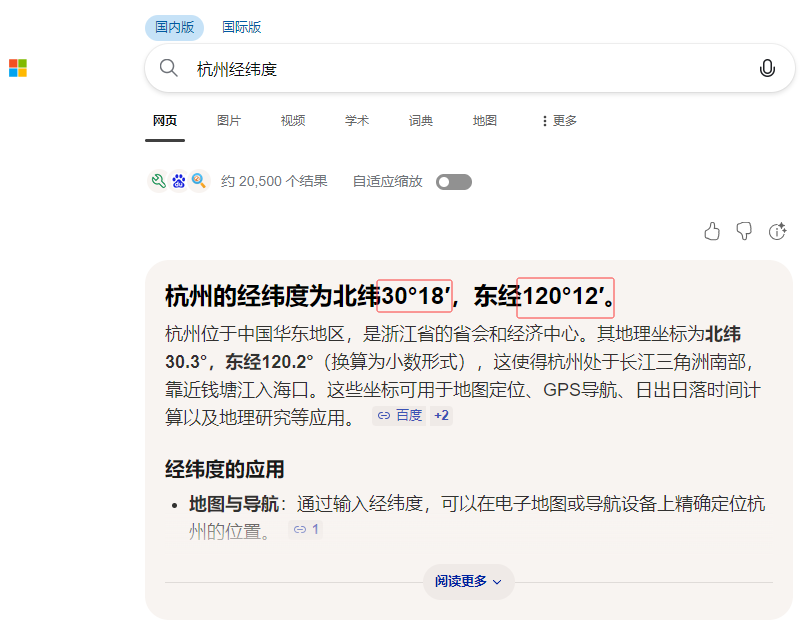
PS:经纬度可以直接搜索地区名经纬度,基本就出来了。
3. services.yaml 服务配置
官方文档:https://gethomepage.dev/configs/services/
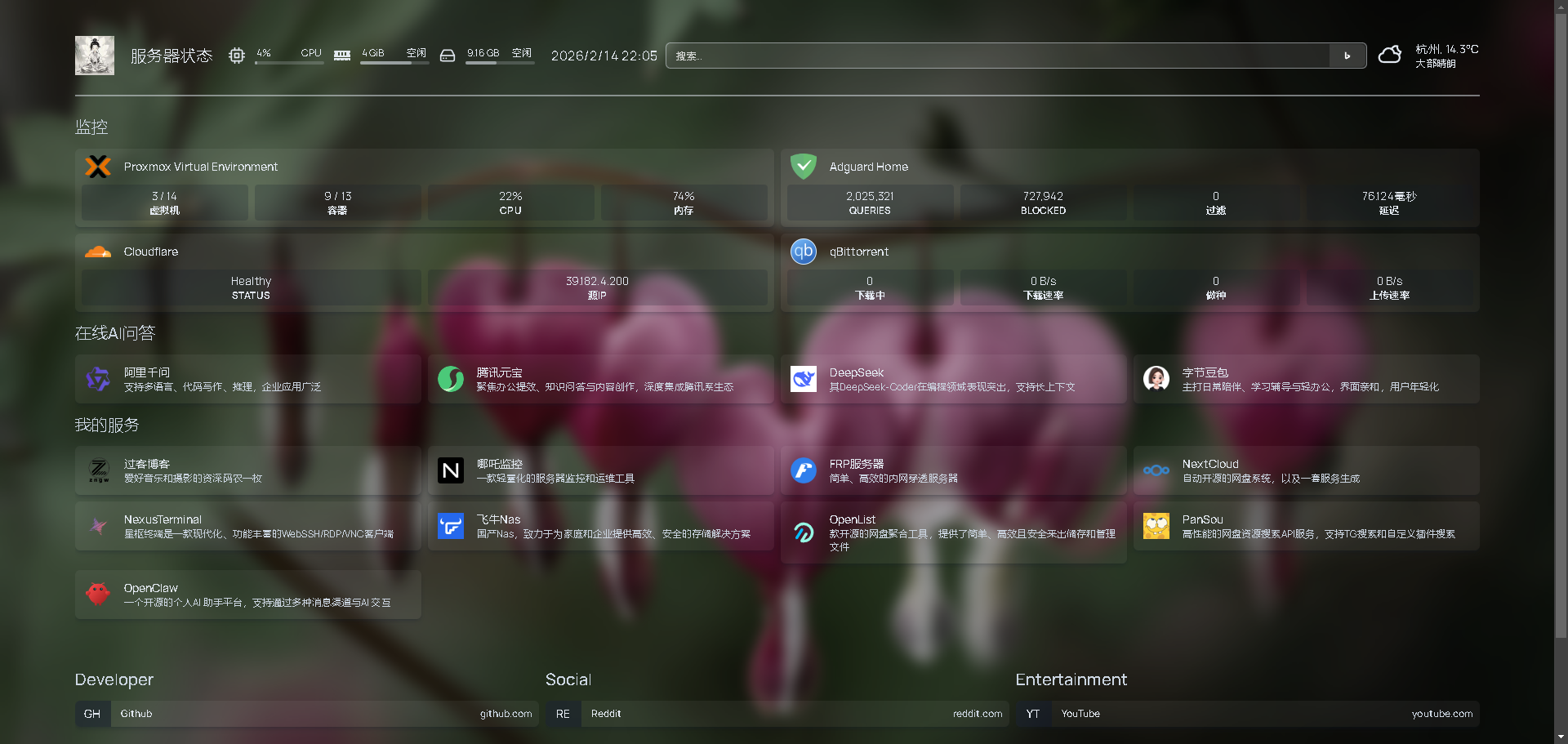
这里是用来配置具体服务的,也就是配置上面的layout块下的每个板块具体有些什么,例子如下,注意板块名字要和settings里面对应。
- 板块名:
    - 卡片名字:
        href: 你这个卡片想要跳转服务的链接
        icon: 非必须项,图标图片
        description: 对于这个卡片的描述,非必须项
        widget:
            # 组件部分,详细参考:https://gethomepage.dev/widgets/
        server: 可选,上一步中你给docker服务器取的名字,比如示例的my-docker
        container: 可选 创建docker的时候这个docker的名字
我的配置
---
# For configuration options and examples, please see:
# https://gethomepage.dev/configs/services/
- 监控:
    - Proxmox Virtual Environment:
        href: https://proxmox.host.or.ip:8006
        icon: proxmox.svg
        widget:
          type: proxmox
		  url: https://proxmox.host.or.ip:8006
		  username: api_token_id
		  password: api_token_secret
		  node: pve-1 # optional
    - Adguard Home:
        href: http://adguard.host.or.ip
        icon: http://adguard.host.or.ip/assets/favicon.png
        widget:
          type: adguard
		  url: http://adguard.host.or.ip
		  username: admin
		  password: password
    - Cloudflare:
        href: https://dash.cloudflare.com
        icon: cloudflare.png
        widget:
		  type: cloudflared
		  accountid: accountid # from zero trust dashboard url e.g. https://one.dash.cloudflare.com/<accountid>/home/quick-start
		  tunnelid: tunnelid # found in tunnels dashboard under the tunnel name
		  key: cloudflareapitoken # api token with `Account.Cloudflare Tunnel:Read` https://dash.cloudflare.com/profile/api-tokens
    - qBittorrent:
        href: http://qbittorrent.host.or.ip
        icon: qbittorrent.png
        widget:
		  type: qbittorrent
		  url: http://qbittorrent.host.or.ip
		  username: username
		  password: password
		  enableLeechProgress: true # optional, defaults to false
		  enableLeechSize: true # optional, defaults to false

- 在线AI问答:
    - 阿里千问:
        href: https://www.qianwen.com/
        icon: https://raw.githubusercontent.com/lobehub/lobe-icons/refs/heads/master/packages/static-png/light/qwen-color.png
        description: 支持多语言、代码写作、推理,企业应用广泛
    - 腾讯元宝:
        href: https://yuanbao.tencent.com/
        icon: https://static.yuanbao.tencent.com/_next/static/media/logo_light.d078142a.svg
        description: 聚焦办公提效、知识问答与内容创作,深度集成腾讯系生态
    - DeepSeek:
        href: https://chat.deepseek.com
        icon: https://avatars.githubusercontent.com/u/148330874
        description: 其DeepSeek-Coder在编程领域表现突出,支持长上下文
    - 字节豆包:
        href: https://www.doubao.com/chat
        icon: https://lf-flow-web-cdn.doubao.com/obj/flow-doubao/samantha/logo-icon-white-bg.png
        description: 主打日常陪伴、学习辅导与轻办公,界面亲和,用户年轻化
- 我的服务:
    - 过客博客:
        href: https://zengwu.com.cn/
        icon: https://zengwu.com.cn/upload/favicon.ico
        description: 爱好音乐和摄影的资深码农一枚
    - 哪吒监控:
        href: https://nezha.yourdomain.com/
        icon: https://nezha.yourdomain.com/apple-touch-icon.png
        description: 一款轻量化的服务器监控和运维工具
    - FRP服务器:
        href: https://frp.yourdomain.com
        icon: https://raw.githubusercontent.com/fatedier/frp/refs/heads/dev/web/frpc/public/favicon.ico
        description: 简单、高效的内网穿透服务器
    - NextCloud:
        href: https://nextcloud.yourdomain.com
        icon: nextcloud.png
        description: 自动开源的网盘系统,以及一套服务生成
    - NexusTerminal:
        href: https://nexust.yourdomain.com
        icon: https://nexust.yourdomain.com/assets/logo-BAko9wsm.png
        description: 星枢终端是一款现代化、功能丰富的WebSSH/RDP/VNC客户端
    - 飞牛Nas:
        href: https://fnos.yourdomain.com
        icon: https://fnos.yourdomain.com/favicon.ico
        description: 国产Nas,致力于为家庭和企业提供高效、安全的存储解决方案
    - OpenList:
        href: https://openlist.yourdomain.com
        icon: https://res.oplist.org/logo/logo.svg
        description: 开源的网盘聚合工具,提供简单、高效且安全来出储存和管理文件
    - PanSou:
        href: https://pansou.yourdomain.com
        icon: https://pansou.yourdomain.com/favicon.ico
        description: 高性能的网盘资源搜索API服务,支持TG搜索和自定义插件搜索
    - OpenClaw:
        href: https://openclaw.yourdomain.com
        icon: https://openclaw.yourdomain.com/favicon.svg
        description: 一个开源的个人AI 助手平台,支持通过多种消息渠道与AI 交互
效果图:
4. bookmarks.yaml 书签配置
官方文档:https://gethomepage.dev/configs/bookmarks
书签可以说是一个精简版的Server,格式如下:
- 书签分组:
    - 书签名:
        - addr: 二个字母缩写,若无图标显示在图标位置
          icon: 非必须项,图标图片
          href: 书签跳转服务的链接
我的配置:
---
# For configuration options and examples, please see:
# https://gethomepage.dev/configs/bookmarks

- 开发:
    - Github:
        - abbr: GH
          icon: github.png
          href: https://github.com/
    - 阿里云:
        - abbr: AY
          icon: aliyun.png
          href: https://aliyun.com/

- 工具:
    - 时间戳转换:
        - abbr: DC
          icon: https://zengwu.com.cn/upload/favicon.ico
          href: https://zengwu.com.cn/tools/date-converter
    - PDF工具:
        - abbr: IL
          icon: https://www.ilovepdf.com/img/favicons-pdf/favicon-32x32.png
          href: https://ilovepdf.com/zh-cn
    - 加密工具:
        - abbr: TX
          icon: https://the-x.cn/favicon.ico
          href: https://the-x.cn/zh-cn/cryptography/Des.aspx

- 其他:
    - YouTube:
        - abbr: YT
          href: https://youtube.com/
效果图:


评论区