


之前聊过OpenClaw省Token神器QMD与MemOS对比与使用,之前的MemOS是MemOS Cloud 云服务版,最近MemOS OpenClaw 插件本地部署版本正式发布了。之前用了QMD,但是没显卡,本地跑个小模型卡卡的不得劲,现在用MemOS 本地插件感觉还不错,不过模型还在用云商的,如果对隐私和数据安全有较高要求或跑内网的可以把模型也建在本地。
1. 安装部署
- 准备环境,安装 C++ 编译工具来编译
better-sqlite3,Windows一般不需要,Linux和Mac需要安装环境
# macOS
xcode-select --install

# Linux
sudo apt install build-essential
- 安装MemOS
# 安装插件 & 启动
openclaw plugins install @memtensor/memos-local-openclaw-plugin
openclaw gateway start
- 安装问题,我安装后编译
better-sqlite3失败,然后让OpenClaw自己修复
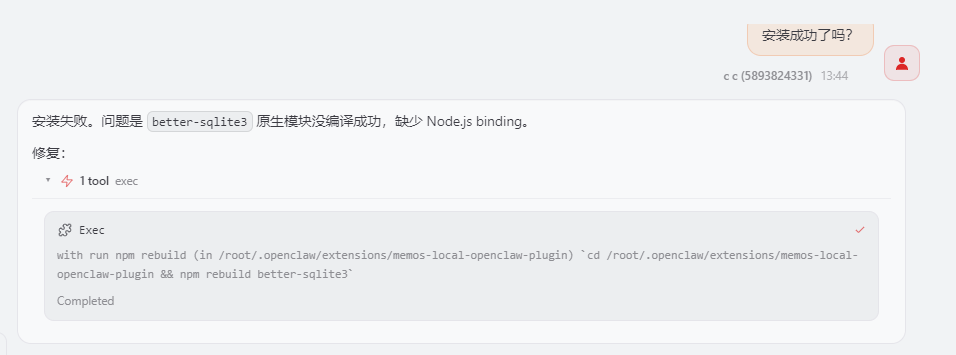
- 修复后,测试
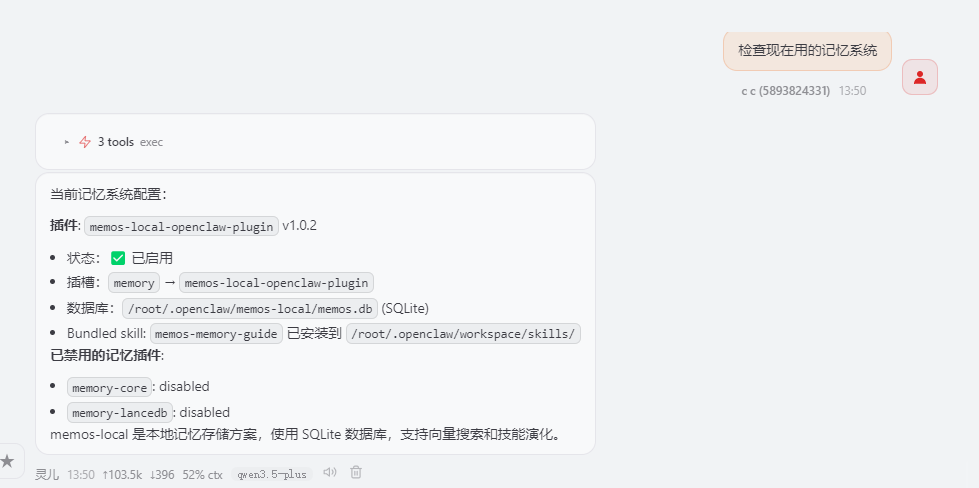
2. 配置
memos-local-openclaw-plugin默认也只监听了127.0.0.1地址的端口,所以,先用ssh转发链接转发
ssh -i "密钥文件" -L 18799:localhost:18799 root@<服务器IP> -N
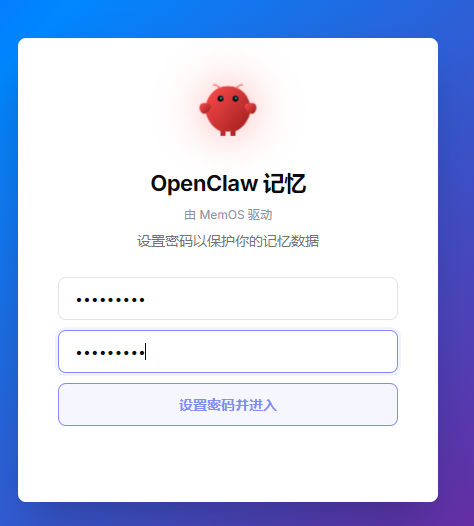
- 然后在浏览器中输入
http://127.0.0.1:18799,第一次需要设置密码
- 登录后进入主页
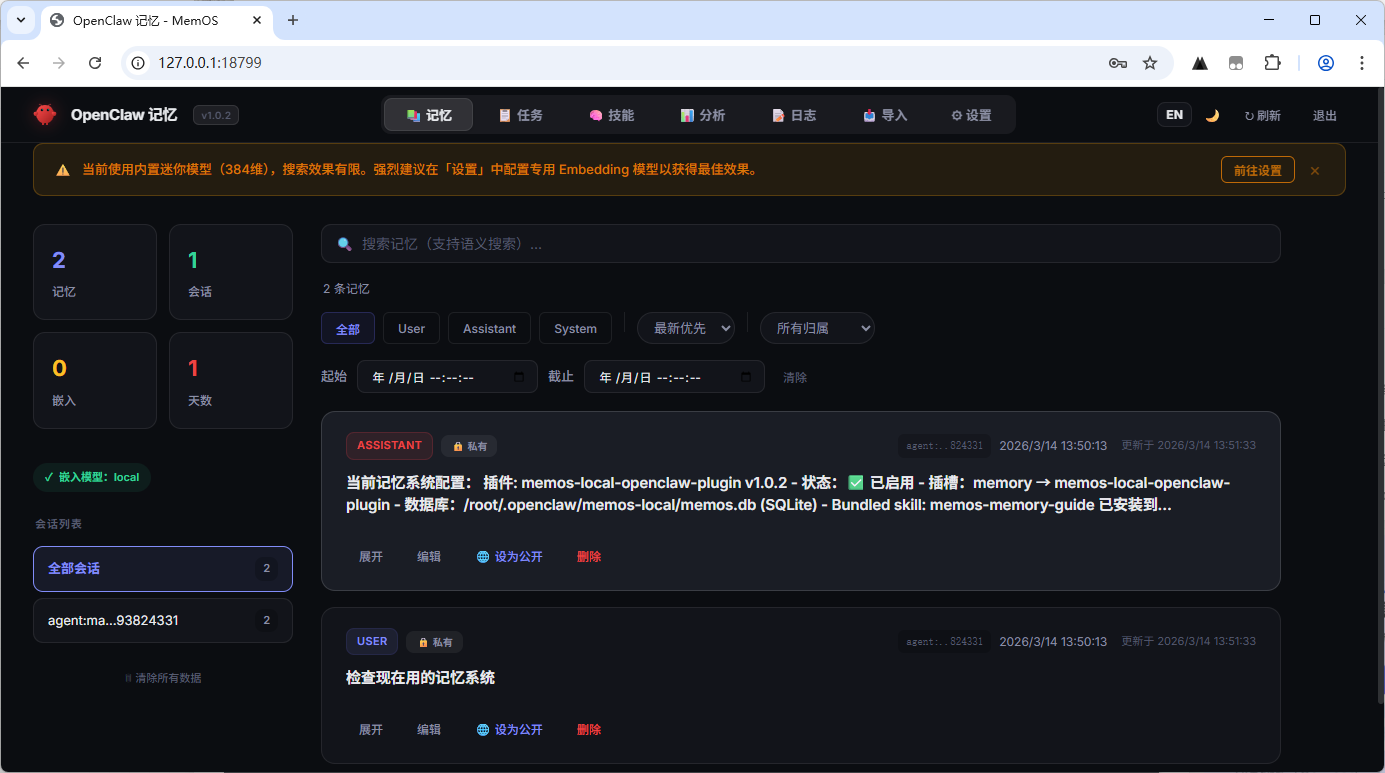
- 设置模型,在UI的设置页面可以设置,也可以修改
openclaw.json配置文件。
{
  "plugins": {
    "slots": { "memory": "memos-local-openclaw-plugin" },
    "entries": {
      "memos-local-openclaw-plugin": {
	    "enabled": true,
        "config": {
          "embedding": {
            "provider": "openai_compatible",
            "model": "bge-m3",
            "endpoint": "https://your-api-endpoint/v1",
            "apiKey": "sk-••••••"
          },
          "summarizer": {
            "provider": "openai_compatible",
            "model": "deepseek-v3.2",
            "endpoint": "https://your-api-endpoint/v1",
            "apiKey": "sk-••••••"
          },
          "skillEvolution": {
            "summarizer": {
              "provider": "openai_compatible",
              "model": "qwen3.5-plus",
              "endpoint": "https://your-api-endpoint/v1",
              "apiKey": "sk-••••••"
            }
          },
          "viewerPort": 18799
        }
      }
    }
  }
}
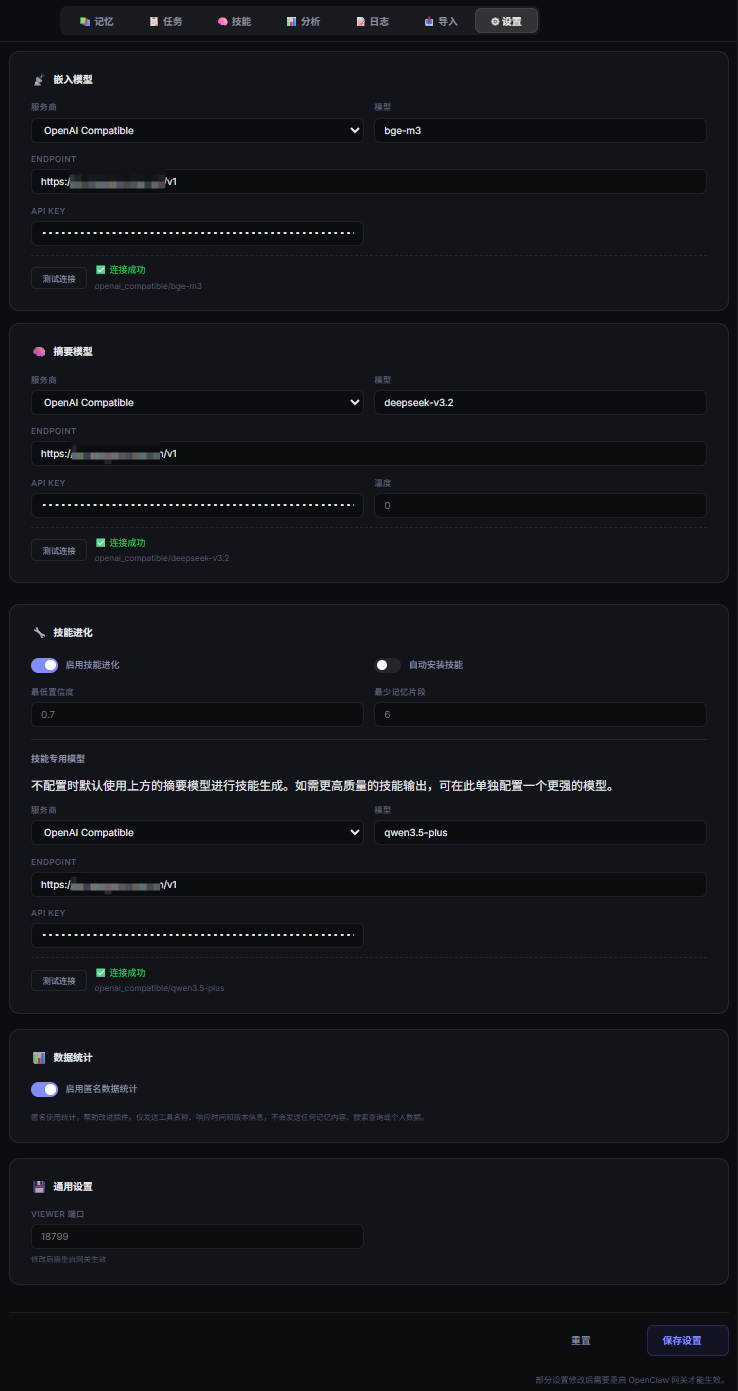
我这里的模型先添加到New-API中的
- embedding:我这里用的是 NVIDIA 的
baai/bge-m3,免费速度也挺快 - summarizer:我这里用的是 心流AI(iflow) 的
deepseek-v3.2,依然免费 - skillEvolution:这里用了阿里百炼Coding Plan 的
qwen3.5-plus。
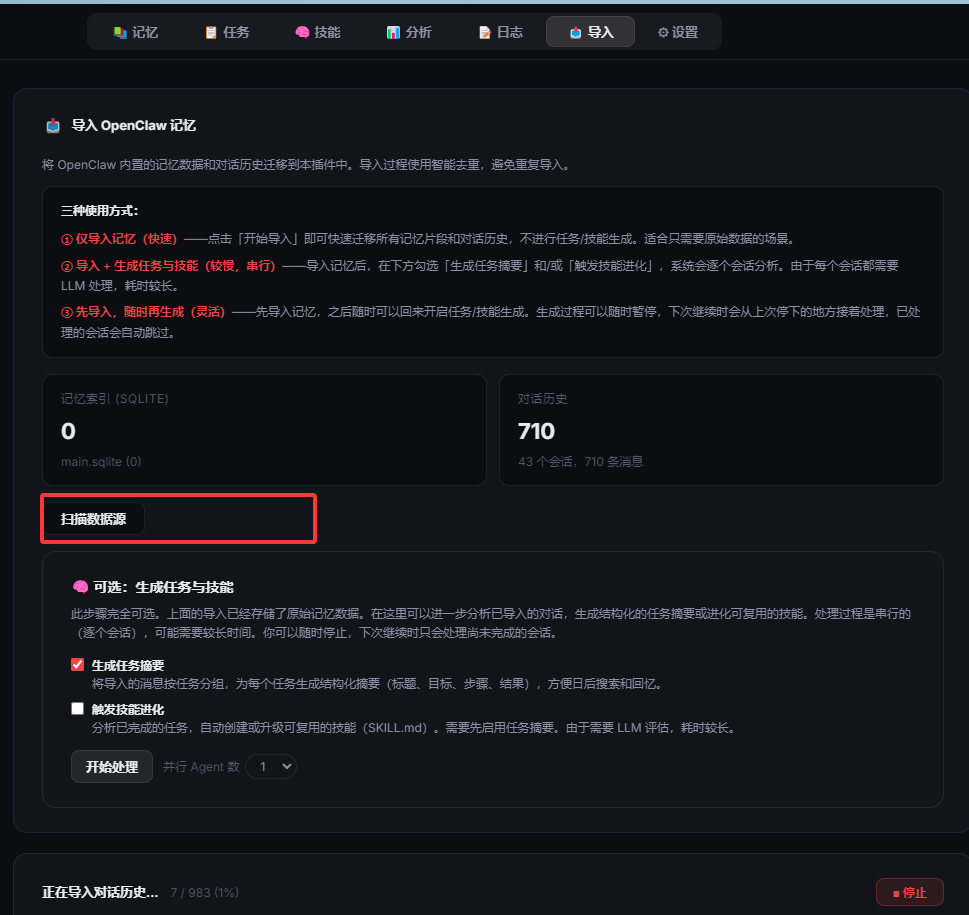
配置好模型后,可以到导入页面,导入之前的历史会话和记录


评论区